First Time Setup
6/26/2025
Getting Started with AI CV Resumes
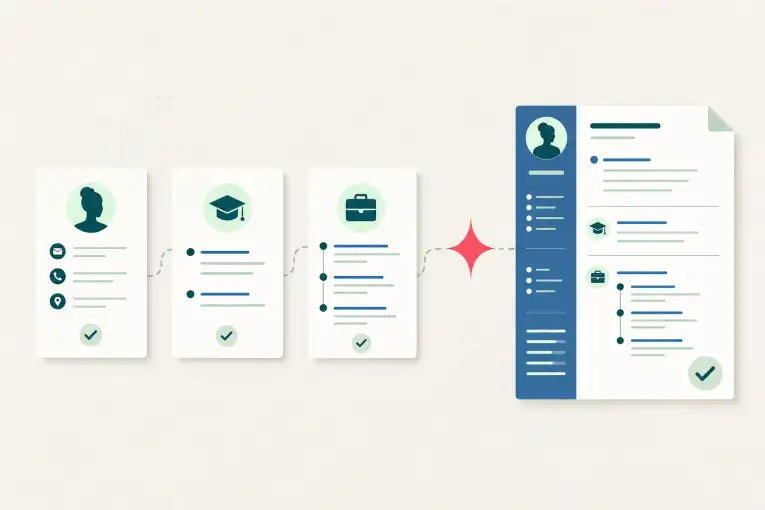
AI CV Resumes is designed around one strong general resume. Build your reusable career profile, generate the general resume you will use for most applications, and add a job posting only when you need a cover letter or an occasional tailored resume.
You can explore every part of the application while setting up. The dashboard checklist distinguishes the essentials needed for generation from optional details that may improve future results.
If you have questions or feedback, please reach out through our contact page.
Create Your Account
Sign up or log in. Clerk manages account authentication and supports Google sign-in as well as email and password.
After signing in, use the dashboard checklist or setup tour to add information at your own pace.
Import an Existing Resume
If you already have a resume, choose Import Resume from the dashboard, setup checklist, career pages, or General Resume page. Upload one text-based PDF or DOCX up to 4 MiB. The file passes transiently through the application to OpenAI for extraction; AI CV Resumes does not save the original file or create a persistent OpenAI Files upload.
Free accounts receive three counted resume-parsing attempts in a rolling 24-hour window. An invalid file is rejected before an attempt is counted, and selected provider or service outages restore the reserved attempt. Active paid and approved accounts have no free-feature parsing quota, subject to reasonable service, security, technical-capacity, and fair-use safeguards.
Review the extracted contact details, links, work experience, education, certifications, projects, and ambiguous records. You can edit, reclassify, include, or exclude every item. Exact likely duplicates are excluded by default, and ambiguous records must be categorized or excluded before saving. Summaries, standalone skills, languages, interests, and other unsupported sections appear read-only and are not imported.
Saving adds only the approved records. It never replaces existing career data or regenerates an existing general resume. When the imported information is ready, regenerate your general resume yourself so you can review the new result.
Add the Essentials
Before generating a resume, add:
- Contact information: first name, last name, and email. Phone number, portfolio, LinkedIn, location, and additional links are optional.
- At least one valid career-background record: work experience, education, or a project.
Add accurate descriptions, dates, responsibilities, tools, and results to your career records. Generated documents are constrained to the information you provide, so richer factual source material gives the system more useful options without permitting it to invent experience.
A User Profile is optional. It helps personalize application and interview answers, but it is not required for your general resume.
Your General Resume
Go to General Resume before adding a job application. Choose Generate General Resume after your essentials are ready.
Your general resume is the recommended default for most applications. Review the preview, copy it, or download it as a Word document or PDF. You can regenerate it without a subscription, and you should usually do so only after your career information changes.
Applications Are Optional
You do not need to save an application to create or use your general resume. Add an application only when you need a cover letter, want to save application or interview questions, or believe a posting genuinely needs different resume emphasis.
When adding an application, provide the company, role title, and the Job Description and Responsibilities copied from the posting. The application URL and hiring-manager information are optional.
For a tailored resume, the service sends your candidate records together with the saved role title, company, and job description and responsibilities to the AI provider. The posting’s responsibilities, qualifications, and repeated priorities guide relevance, but candidate records remain the source of truth.
Generate Application-Specific Materials Independently
The application page offers separate Generate Tailored Resume and Generate Cover Letter actions. Use either one without generating the other.
Before tailored-resume generation, you will see this advisory guidance:
- Use your general resume by default.
- Tailor only when the posting creates a real need to change wording or emphasis.
- Review the result and confirm that it preserves your facts.
Free accounts can keep up to 20 Tailored Resumes and 20 cover letters. These are separate quotas: one count never reduces the other. Regenerating an existing document for the same application does not use another slot, and deleting a saved document frees a slot. Active paid and approved access removes the free document and resume-parsing quotas, subject to reasonable service, security, technical-capacity, and fair-use safeguards.
Review Before You Apply
AI-generated content can contain mistakes. Read every document, confirm that the facts and emphasis accurately represent you, and make any needed changes in your downloaded copy before submitting an application.
For a fuller walkthrough, continue to How to Use AI CV Resumes.